Service Level Agreement (SLA) is one of the important aspects to make sure you read and understand before ordering your VPS service (or any other service).
Uptime: is an important condition which includes power uptime and network uptime. You also need to know how they are going to handle their inadequacy (i.e. how they are going to compensate you in case of failure to satisfy their uptime promise).
Showing posts with label Basics. Show all posts
Showing posts with label Basics. Show all posts
VPS Payment models
What kind of payment models your virtual private server (VPS) provider offer?
- Monthly: You should get this when trying/testing a new VPS provider.
- Quarterly: Usually you get a discount if you buy 3 months in advance.
- Annually: There are some plans where you can only pay annually (really small 64 - 128 MB plans) and usually you get a discount.
- Hourly: This applies only to cloud VPS hosting.
VPS Payment methods
Payment methods usually used by VPS providers:
- PayPal: Beware of the recurring subscription feature, it won't cancel itself when you terminate your account. You have to to cancel it through PayPal's interface.
- Skrill (Formerly MoneyBookers)
- Credit / Debit cards: Don't use with new / untrusted providers
- Bank transfers
- Crypto currencies such as Bitcoin
VPS network bandwidth
VPS network bandwidth is not to be confused with network traffic. Network bandwidth is the data transfer rate or speed. It is always expressed as data unit per unit time, example: 1 Mbps = 1 Megabits per second, another is 1 Gbps = 1 Gigabit per second.
So when you see 100 Mbps network bandwidth that means the theoretical speed is 100 Mbps which might be attained or not.
Why you should get higher bandwidth when possible?
Higher bandwidth means more visitors served without saturating your network connection, if you do saturate your link, that means users will wait and if a user wait, then they might as well close your page. This of course happens only when you have a lot of visitors, most people need not to worry about their bandwidth.
Average web page size is increasing as time goes, having higher bandwidth helps in this situation.
So when you see 100 Mbps network bandwidth that means the theoretical speed is 100 Mbps which might be attained or not.
Why you should get higher bandwidth when possible?
Higher bandwidth means more visitors served without saturating your network connection, if you do saturate your link, that means users will wait and if a user wait, then they might as well close your page. This of course happens only when you have a lot of visitors, most people need not to worry about their bandwidth.
Average web page size is increasing as time goes, having higher bandwidth helps in this situation.
VPS denial-of-service protection
Denial-of-service (DoS) protection is one the features some VPS providers provide for a fee or free to go along with your hosting plan.
Most people won't need this feature unless they have provoked somebody. So if you haven't heard about DoS attacks, then you don't need to pay for this feature, if they provide it for free then good.
Most people won't need this feature unless they have provoked somebody. So if you haven't heard about DoS attacks, then you don't need to pay for this feature, if they provide it for free then good.
VPS physical location
Is the physical location of the VPS an important factor while deciding on buying a VPS?
You would think in these modern days that the location of the server hosting your website isn't relevant anymore, but the world isn't perfect and there are speed differences. When someone opens your website, the bits & pieces have to travel the distance between them and your server, so the lower the distance, the better.
So to answer the question: It depends on two considerations:
1. Location of your target audience: If you intend on hosting a website catering to mostly US visitors, then you should definitely get a VPS located in the US (many of the VPS providers have US-only locations). If you are targeting Europe & Middle East, then you should get a VPS in Europe. If you want global reach, then you have two options: 1. Use more than one server in different locations (e.g. one in the US and one in an European datacenter). 2. Use a content delivery network (CDN).
2. Your physical location: The lower the latency the better when you are performing administrative tasks on your VPS. Latency is the time a piece of data takes traveling from your computer to the remote VPS.
How to test the server?
1. You could use the ping command to check the ping time from your computer to the prospective VPS IP (VPS providers usually provide a test IP and a test download file for you). The lower the values, the better: 50 ms or less is a pretty good ping value, if you could find lower ping times, the better! 100 ms is good too. 150-200 I would say try to find a closer server, it will work, but you can find better.
(Windows 7: Start Menu-> Type: cmd -> Type ping IP-address-here -> Enter)
2. You could download a test file provided by the VPS provider.
3. You could use the trace route command to check the number of hops your data takes until it reaches the VPS. The lower the number of hops, the better.
(Windows 7: Start Menu-> Type: cmd -> Type tracert IP-address-here -> Enter)
Note: always use the IP address and not the domain name.
You would think in these modern days that the location of the server hosting your website isn't relevant anymore, but the world isn't perfect and there are speed differences. When someone opens your website, the bits & pieces have to travel the distance between them and your server, so the lower the distance, the better.
So to answer the question: It depends on two considerations:
1. Location of your target audience: If you intend on hosting a website catering to mostly US visitors, then you should definitely get a VPS located in the US (many of the VPS providers have US-only locations). If you are targeting Europe & Middle East, then you should get a VPS in Europe. If you want global reach, then you have two options: 1. Use more than one server in different locations (e.g. one in the US and one in an European datacenter). 2. Use a content delivery network (CDN).
2. Your physical location: The lower the latency the better when you are performing administrative tasks on your VPS. Latency is the time a piece of data takes traveling from your computer to the remote VPS.
How to test the server?
1. You could use the ping command to check the ping time from your computer to the prospective VPS IP (VPS providers usually provide a test IP and a test download file for you). The lower the values, the better: 50 ms or less is a pretty good ping value, if you could find lower ping times, the better! 100 ms is good too. 150-200 I would say try to find a closer server, it will work, but you can find better.
(Windows 7: Start Menu-> Type: cmd -> Type ping IP-address-here -> Enter)
2. You could download a test file provided by the VPS provider.
3. You could use the trace route command to check the number of hops your data takes until it reaches the VPS. The lower the number of hops, the better.
(Windows 7: Start Menu-> Type: cmd -> Type tracert IP-address-here -> Enter)
Note: always use the IP address and not the domain name.
How much RAM do I need for my VPS?
The answer to this question isn't that simple because it is a highly variable property. It depends on what you intend to do with your VPS instance. If I have to suggest a number, I'd say 256 MB shouldn't be too restricting as a general recommendation. Some people might go as far to say 1 GB is minimum but I believe that would be an exaggeration.
Example: Wordpress would run happily on a 256 MB VPS.
People are running 64-96 MB VPS plans all the time for specific purposes (static site, VPN, backup DNS).
If you are just starting out, don't get more than 256 MB VPS package.
++ Before you buy your VPS package/service, you can determine the predicted base RAM needed to run your applications/services by using a virtualization software to prepare a staging server where you can install your favorite operating system (e.g. Ubuntu) and all the services you would be using on your VPS instance such as the de facto standard LAMP stack.
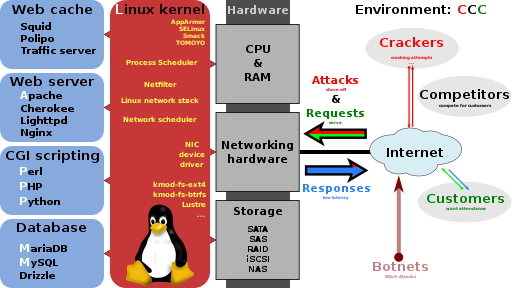
You can see that I wrote the baseRAM usage and not the running RAM usage, I mean by base, the amount of RAM consumed by the operating system services + the amount of RAM consumed by your installed services/applications (e.g. Webserver + Database server + Scripting language etc.) after a fresh restart/install. By running RAM I mean the amount of base RAM in addition to the RAM consumed by usage of your installed services, that usage varies widely and depends on your situation: 1. How many visitors you get?
++ More visitors could mean more memory consumed but that depends on the following question.
2. How much of your content is dynamic?
++ If many of your pages/content are dynamic, that means you will need more memory. If you have many static content, you should expect lower memory usage.
I'd say if your base RAM is BM, then your running RAM preferably should be RM = BM+50% of BM. So if you installed everything you need and found that your used memory is 188 MB then your running memory should be 188 + (188*0.5=94) = 282, you won't find a VPS package with that number unless it is a custom package/plan, so you get the closest plan to your number, in the example that would be a 384 MB plan.
How to find out your base RAM usage?
++ After you finish installing everything you need, restart your VM, use the free -m command to get the amount of your used memory. See here & here for more information.
VirtualBox is one of these virtualization software that can get you up and running as fast as you can get the operating system image/ISO/DVD. Follow this tutorial to install Ubuntu inside a Windows machine using VirtualBox but keep in mind that you would need to download the server image and not the desktop image, as you won't need any of the graphical interfaces and the fact that it would totally mess up your base memory usage because you don't normally use full GUI desktops in your VPS package/plan.
Example: Wordpress would run happily on a 256 MB VPS.
People are running 64-96 MB VPS plans all the time for specific purposes (static site, VPN, backup DNS).
If you are just starting out, don't get more than 256 MB VPS package.
How to determine the amount of RAM needed for my VPS?
++ Before you buy your VPS package/service, you can determine the predicted base RAM needed to run your applications/services by using a virtualization software to prepare a staging server where you can install your favorite operating system (e.g. Ubuntu) and all the services you would be using on your VPS instance such as the de facto standard LAMP stack.

You can see that I wrote the baseRAM usage and not the running RAM usage, I mean by base, the amount of RAM consumed by the operating system services + the amount of RAM consumed by your installed services/applications (e.g. Webserver + Database server + Scripting language etc.) after a fresh restart/install. By running RAM I mean the amount of base RAM in addition to the RAM consumed by usage of your installed services, that usage varies widely and depends on your situation: 1. How many visitors you get?
++ More visitors could mean more memory consumed but that depends on the following question.
2. How much of your content is dynamic?
++ If many of your pages/content are dynamic, that means you will need more memory. If you have many static content, you should expect lower memory usage.
I'd say if your base RAM is BM, then your running RAM preferably should be RM = BM+50% of BM. So if you installed everything you need and found that your used memory is 188 MB then your running memory should be 188 + (188*0.5=94) = 282, you won't find a VPS package with that number unless it is a custom package/plan, so you get the closest plan to your number, in the example that would be a 384 MB plan.
How to find out your base RAM usage?
++ After you finish installing everything you need, restart your VM, use the free -m command to get the amount of your used memory. See here & here for more information.
VirtualBox is one of these virtualization software that can get you up and running as fast as you can get the operating system image/ISO/DVD. Follow this tutorial to install Ubuntu inside a Windows machine using VirtualBox but keep in mind that you would need to download the server image and not the desktop image, as you won't need any of the graphical interfaces and the fact that it would totally mess up your base memory usage because you don't normally use full GUI desktops in your VPS package/plan.
Types of VPS storage
There are several types of storage used by VPS providers:
Most companies provide RAID 10 protection
- SSD storage: Fastest type of storage. You should get this type if possible.
- SSD-Cached HDD storage: Slightly faster than regular HDD.
- HDD storage: Slowest type of storage.
Most companies provide RAID 10 protection
Should I use a VPS?
Should you use a VPS?
When I say a VPS, I mean unmanaged VPS. Buying/Renting a VPS isn't the same as using the VPS because when you decide to host your website using a VPS, you add the responsibility of securing and maintaining it, unlike in shared hosting environment where you don't have to take such decisions.
Why you should buy a VPS?
Do you need the freedom and flexibility of a VPS? or a regular shared hosting plan will suit your usage?
You should buy a VPS if:
When I say a VPS, I mean unmanaged VPS. Buying/Renting a VPS isn't the same as using the VPS because when you decide to host your website using a VPS, you add the responsibility of securing and maintaining it, unlike in shared hosting environment where you don't have to take such decisions.
Why you should buy a VPS?
Do you need the freedom and flexibility of a VPS? or a regular shared hosting plan will suit your usage?
You should buy a VPS if:
- You need a hosting environment not available in shared hosting or available but expensive, basically anything besides the regular PHP, MySQL stack.
- You outgrew your shared hosting plan and need more resources to cope with the higher loads.
- You want to learn server systems administration.
- You want to learn and install BSD.
- You want to host your own VPN (OpenVPN).
- You have to be willing to learn how to secure your VPS and keep it updated.
- You have to be willing to spend a portion of your time configuring/tuning your services.
Types of VPS virtualization
There are several types of virtualization used by VPS providers:
- OpenVZ: Free software. OS-level virtualization Linux containers. Most popular among VPS providers. Many abuse it and oversell the available resources. Cheapest option.
- KVM: Free software. Full virtualization (allows custom kernels). Same level as Xen.
- Xen: Free software. Many versions available. Full virtualization. Same level as KVM.
- VMware: Proprietary software. Popular in corporate environments, less used by VPS providers.
Subscribe to:
Posts (Atom)